StudyLight
BY CALIBERIX · ANDROID · FREE, WITH OPTIONAL PRO
A light meter for your child's study space.
StudyLight turns your phone into a study-room meter. It measures room brightness, light colour, reading distance and daylight today, and gives the space one Study Score from 0 to 100.
2 + 20
free scans a day, plus 20 welcome scans
4
measurements in every scan
0
accounts or ads needed
7.0+
Android version
On a computer?
Scan with your phone camera to install
Why it matters
What the research says about light and reading.
Lighting
Poor lighting and improper viewing distance are listed among the causes of digital eye strain.
American Optometric Association
30 cm · 30 min
Reading closer than about 30 cm, and for more than about 30 minutes without a break, were each associated with short-sightedness in children.
Sydney Myopia Study (Ip et al., 2008, IOVS)
~50%
Around half the world's population could be short-sighted by 2050.
WHO–BHVI joint report
Lighting and reading distance are hard to judge by eye.
Associations from research, not proof of cause. StudyLight does not diagnose, treat or prevent any condition.
How a scan works
Three steps. A few seconds.
STEP 1
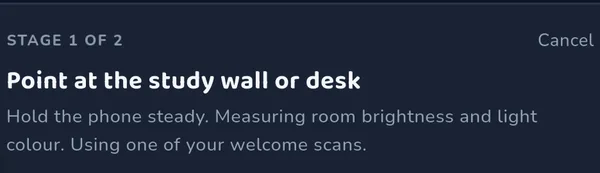
Place the phone where your child works
The ambient-light sensor reads brightness and the rear camera reads the colour of the light falling on the desk.
STEP 2
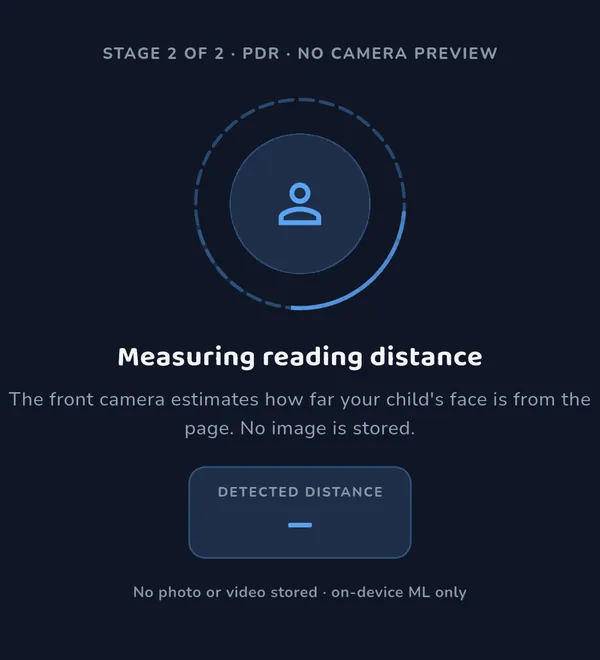
Tap Ready at reading position
The front camera takes one photo to estimate reading distance. The photo is analysed on the phone and deleted straight away.
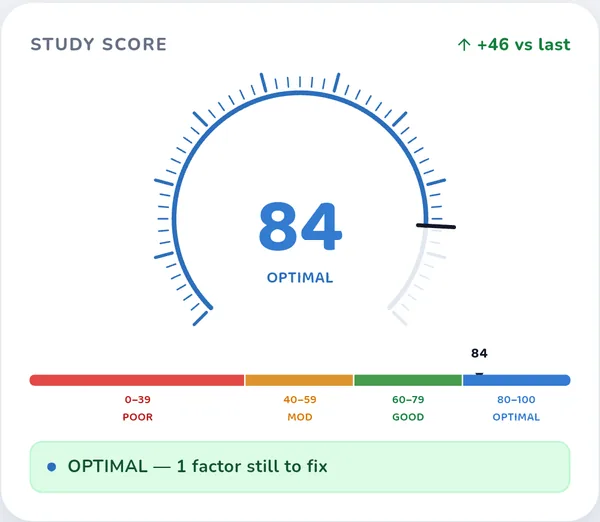
STEP 3
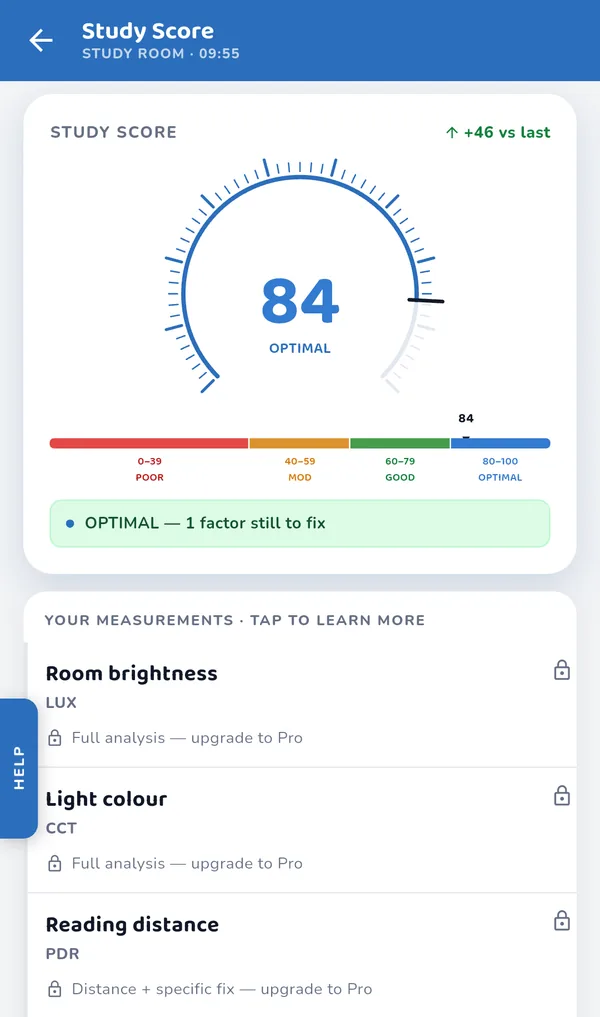
Read the Study Score
A score from 0 to 100, a band, and how many of the four factors need attention.
Two ways to scan. A parent can scan the desk, or an older child can scan their own study space.
The four measurements
What StudyLight measures, and how.
Room brightness
lxHow much light reaches the desk, in lux, read from the phone's ambient-light sensor. The camera is not used for this. Phones differ, so you can calibrate brightness for your phone in Settings. If the sensor can't give a usable reading, the value is marked as an estimate.
SENSOR · AMBIENT LIGHT
Light colour
KWhether the light is warm or cool, as a colour temperature in kelvin. The rear camera reads several frames and the phone converts them to a colour temperature. In a very dim room colour can't be measured, and the result tells you so instead of guessing.
SENSOR · REAR CAMERA · ON-DEVICE
Reading distance
cmHow far the page is from your child's eyes, estimated from face landmarks in one front-camera photo. The guidance adjusts to your child's age. The photo never leaves the phone and is deleted after the estimate.
SENSOR · FRONT CAMERA · PHOTO DELETED
Daylight today
hHow many hours of daylight your location has today, calculated on the phone from your location and the date. No internet connection or outside service is needed for this.
SOURCE · LOCATION + DATE · ON-DEVICE
The Study Score
Four measurements, weighted into one number.
Each measurement is scored, then combined with a fixed weighting. Brightness and colour carry the most weight. Evening scans are scored against evening ranges from 5 PM.
Free and Pro
The score is free. Pro shows the full picture.
| On each result | Free | Pro |
|---|---|---|
| Study Score, gauge and band | Yes | Yes |
| How many factors need attention | Yes | Yes |
| Which factors need attention | — | Yes |
| Readings in lx, K, cm and hours | — | Yes |
| Per-factor verdict and what to change | — | Yes |
| Scans | 2 a day, plus 20 welcome scans | Unlimited |
Free for everyone
- 10 study tools: calculator, formulas, flashcards, converter, periodic table, grades, essay outline, language arts, scribble pad, class notes
- Learn: 365 short science facts, each with its source, plus quizzes and room tips
- Colour vision check: an educational activity — not a screening, test or diagnosis
- 6 challenge games
- Eye-break reminders during study time
- One child profile, brightness calibration, and deleting your data
Added with Pro
- Study session monitor with live readings and alerts when light drops, evening light turns cool, or your child sits too close
- Outdoor sessions to log time outside
- Focus timer and a gallery of collected focus scenes
- Progress, a study digest and parent report
- Study companion: planner, timetable, attendance, tasks and exams
- More child profiles, cloud scan history, PDF audit report and a named share card
When to use it
Moments a scan answers a real question.
Choosing where the desk goes
Scan two or three spots in the same room and compare their scores before you move furniture.
Buying a bulb or desk lamp
Scan before and after the change, so you know what the new light actually did.
The evening check
The same desk can score differently after dark, when the lamp does all the work.
Homework away from the desk
Kitchen table, bed, floor, car seat. Scan wherever the work actually happens.
A new room or a new school year
Set up the study space once with a number to go on, then check it again when things change.
Older children, their own space
Self-scan mode lets a child check their own desk and see what changes the score.
Privacy
What stays on the phone.
Camera images
Analysed on the device and never uploaded. The distance photo is deleted after use.
Your child's details
Name and date of birth stay on your phone.
No account, no ads
No sign-in needed. No ad SDKs and no advertising ID.
Analytics are off until you say yes
Usage and crash reporting start switched off.
Works offline
Scanning, scoring, study tools and Learn all work without internet.
Delete your data
Delete all your data from inside the app.
What it is not
StudyLight describes a room, not a child's eyes.
StudyLight is not a medical device and does not diagnose, treat, cure, or prevent any medical condition. It is not a calibrated or certified measuring instrument. Its results are not an assessment of any person and do not indicate whether a child's eyes or vision are healthy.
Seek professional advice whatever the app shows if a child squints, holds work unusually close, rubs their eyes, or complains of headaches, blurred vision or eye discomfort. Always consult a qualified optometrist, ophthalmologist or doctor for medical advice.
Pricing
Free to use. Pro if you want the full picture.
Free
₹0 / US$0₹0US$0
Study Score on every scan, 2 scans a day plus 20 welcome scans, all study tools and Learn content. No account.
Download freePro · annual
7-day free trial₹949₹949US$19.99 first year in India
Then ₹1,499 a year in India. Other countries: US$19.99 first year, then US$29.99 a year.Then ₹1,499 a year.Then US$29.99 a year. Unlimited scans, full readings, session monitor and the study companion. Cancel in Google Play at least 24 hours before the trial ends and you won't be charged.
Start with the free appPrices in rupees in India, US dollars elsewhere. Google Play shows the exact price, including any tax, before you confirm.Prices include GST. Google Play shows the exact price before you confirm.Prices in US dollars. Google Play shows the price in your currency, including any tax, before you confirm.
Questions
Frequently asked.
Does StudyLight check my child's eyes?
No. It measures the study space, not the child. For anything about vision, see an optometrist.
How accurate is a phone as a light meter?
Readings are estimates from phone sensors, and sensors vary between phones. StudyLight is not a certified instrument. You can calibrate brightness for your phone in Settings.
What if the room is too dark to measure?
Light colour needs some light to read. In a very dim room the result says colour couldn't be measured, rather than guessing.
Do I need an account?
No. Signing in is optional and only needed for features like cloud scan history.
How many free scans do I get?
Two a day, reset at midnight, plus 20 welcome scans used after the day's two. A scan only counts when it produces a result.
What happens after the free trial?
It becomes a paid year unless you cancel in Google Play at least 24 hours before it ends. Google Play reminds you first.
Which phones does it work on?
Android 7.0 or later. It is not on iPhone. The app is in English.
What data leaves my phone?
Camera images never do. Purchases go through Google Play. Rounded location, for the UV forecast. Usage and crash reports are sent only if you switch them on. The privacy policy lists everything.
How do I delete my data?
Settings → Delete all my data, or caliberix.com/studylight/delete-data. Deleting data doesn't cancel a subscription; do that in Google Play.
Scan to install